Loading...
- Barcode formats staff handle at goods-in
- 67%Several, one per supplier (GS1-128, EAN-13, some unlabelled1 internal label
- Stock transfers with real weight recorded
- 100%0% (not recorded in a system)100% (the system blocks the next step until weight is submitted)
- Times ingredients and allergens are typed
- 99%Once per labelOnce per product
The challenge
Prove where every pack came from, on a busy factory floor.
- Many barcode formats. Some suppliers send GS1-128 labels, others send no usable barcode at all.
- Weight is never exact. A box ordered at 100 kg may weigh 105 kg. Cost and yield must use the real weight.
- One recipe, many batches. Several raw batches go into one production batch, which then splits into many packs.
- Strict UK food labels. Ingredients, allergens, use-by date, batch number and a scannable barcode on every pack.
- Fixed and variable weight. About half the products are each type, and each needs its own label logic.
- Floor staff, not ERP users. Operators need short, scan-first screens, not 40-field forms.
Our approach
Build the factory floor first, the sales side after.
Traceability only works if production data is right. So we did not start with online orders or delivery apps. We started at goods-in.
| Phase | Status | Scope |
|---|---|---|
| Phase 1 | Delivered | Items, receiving, internal labels, recipes, work orders, picking, weight capture, job cards, batch tracking |
| Phase 2 | Delivered | Fixed and variable-weight packing, label automation, hardware pilot, repack and batch split |
| Phase 3 | Next phase | Sales orders, picking by order, dispatch, delivery and outside integrations |
| Phase 4 | Next phase | Final roles, reports, training and go-live support |
Three rules guided the work
- Standard ERPNext first. We extended ERPNext’s own Work Order, Stock Entry, Batch and Pick List flows instead of building a separate system.
- Test with real products. We ran a full Raw Salt Beef recipe (beef, cure, salt, brine, trimmed brisket) through the system, not a made-up example.
- Pilot hardware first. One controlled variable-weight packing scenario first, so label, weight and batch data were checked end to end before rollout.
Why ERPNext? It is open source, so the client is not locked into a closed system. Its manufacturing, batch and stock features already cover most of the core, so custom work went only where the meat business really needed it.
What we built
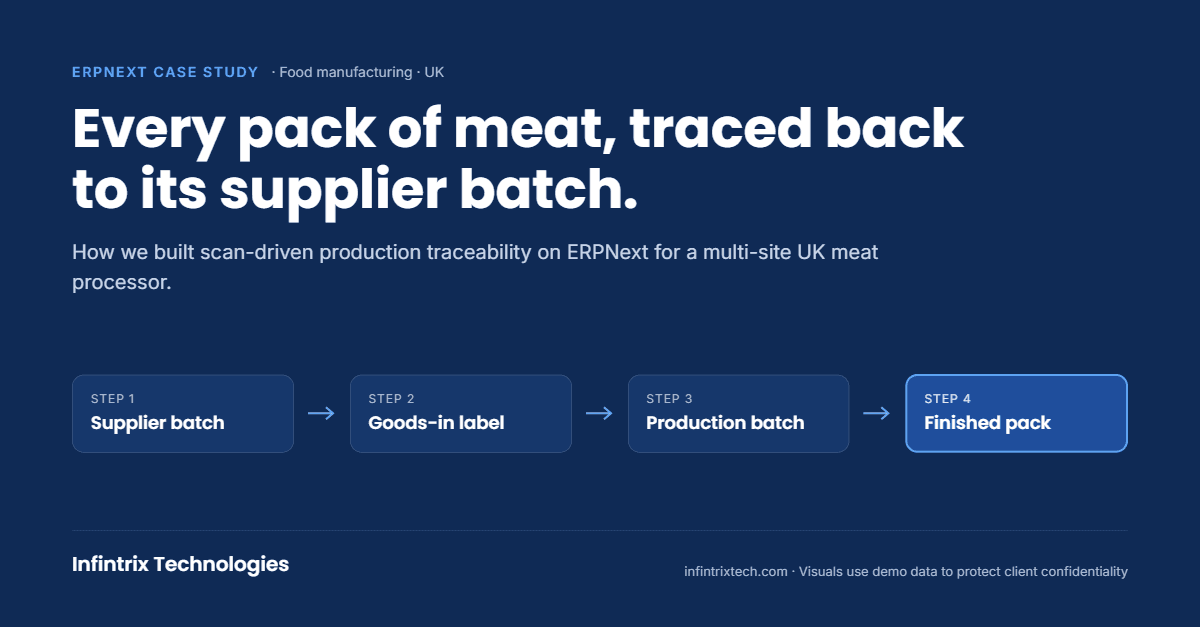
One scan-driven flow. One batch number from van to pack.
- Goods-in – internal label per box; supplier, weight, expiry
- Pick and transfer – scan-to-confirm picking; stock moved by batch
- Weight capture – real weight recorded; must submit to continue
- Production – job cards per step; raw batches carried over
- Packing and labels – fixed or variable weight; ZPL label, GS1 barcode
- Finished goods – chilled or frozen store; traced to supplier batch
Feeding in: Product spec and COA (ingredients, allergens, lab certificate from PDF) → labels. Feeding out: Yield report (planned vs actual kg, cost per kg, process loss) ← production.
| Area | What it does |
|---|---|
| Goods-in | Receives against the purchase order, creates batches with expiry and weight, and prints an internal barcode / QR label |
| Weight capture | Records actual weight on transfer to the kitchen and blocks the next step until it is submitted |
| Production | Work order to job cards to manufacture, with raw batches carried into the production batch automatically |
| Packing and repack | Fixed and variable-weight packs, batch split, scan-to-remove and a printed-label log per batch |
| Labels | Stock, finished-goods and out-case labels in ZPL, printed to Zebra / Honeywell-type printers |
| Quality | A full product specification (allergens, nutrition, micro criteria) and lab certificates read from PDF |
| Reports | Custom stock ledger (supplier, halal flag, tracking number, expiry) and a yield report |
Step 1 · Goods-in
Too many supplier barcodes. So we made one label.
The first design scanned each supplier’s own GS1-128 barcode. In testing, the client found suppliers use too many formats, and staff got stuck. We changed the design inside Phase 1, at no extra cost.
| Before | After |
|---|---|
| Scan each supplier’s own barcode: GS1-128, EAN-13, own formats, handwritten, or none | One internal label at goods-in: supplier, product, weight, trace number, pack date, expiry |
| Every supplier is different. One bad scan breaks the trace. | Captured once, scanned everywhere, whatever the supplier sent. |
 Goods received note. Booked line by line against the purchase order, with trace number and returns tracked.
 Internal receiving label. Supplier, dates, weight and trace number in one GS1-128 barcode.
Step 2 · Weight capture
Production runs on the real weight.
Ordered 100 kg, weighed 105 kg? Staff record what arrived. The difference is logged, cost and yield stay right, and the next step stays locked until the weight is submitted.
| Requested | Actual weight | Difference |
|---|---|---|
| 100.000 kg | 105.000 kg | +5.000 kg |
Illustration with demo data.
 Real screen: View Weight. Requested vs received weight for each batch, saved against the stock transfer before production can continue.
Why it matters in meat: raw meat is bought by weight, and boxes rarely weigh exactly what was ordered. If production used the ordered weight, every cost per kg and every yield figure after it would be wrong. The extra weight is recorded without stopping the line.
Step 3 · Production
Sub-recipes, job cards and loss at every step.
A final product is built from sub-recipes, such as a spice blend and a wet marinade, which are made and batched first. Each production step runs on a job card, which records what came out and what was lost.
 Multi-level recipe (BOM). Sub-recipes roll up into the final product.
 Job card. 200 kg in, 180 kg out. 20 kg of trim logged as a secondary item with its own expiry.
Why it matters in meat: trimming, cooking and chilling all lose weight. If loss is not recorded at each step, cost per kg and yield are guesses. Here they are recorded on the job card, at the moment they happen.
Step 4 · Packing and labels
Typed once in the spec. Printed on every pack.
Finished-pack and out-case labels are built from data the system already holds, so nobody retypes ingredients, dates or batch numbers.
- From the specification: ingredients, allergens, storage instructions
- From production: batch number, pack date, use-by date from shelf life
- From the scale: real pack weight, encoded in the GS1-128 barcode
- From the printer log: every printed serial is recorded per batch
 Real screen: out-case label preview. Storage, batch, production and use-by dates, total weight and GS1-128 barcode, printed straight from the repack.
Step 5 · Visibility
Every run and every batch, in one place.
Managers see each work order’s status and output, and can trace any batch back to its supplier, tracking number and expiry date.
 Work order summary. Planned vs produced quantity and dates for every production run.
 Custom stock ledger. Supplier, tracking number and expiry on every stock movement.
What the client got
A traceability chain that holds from van to pack. The system was shown working end to end on a real product in recorded demos with the client team.
- Full batch lineage – supplier batch to production batch to finished pack, stored on every stock movement.
- Real weights in the books – production, cost and yield run on weighed quantities, not ordered ones.
- Labels from data – ingredients, allergens, dates and batch numbers flow from the spec to the label.
- Quality documents in one place – lab certificates are read from PDF and linked to the item.
- Loss you can see – process loss is logged on every job card and rolled into the yield report.
- Built to grow – sales, dispatch and accounting integrations are planned as the next phases.
Running a food or meat factory on spreadsheets?
Infintrix Technologies has implemented ERPNext since 2017. We build traceability, weight capture and compliant labelling on standard ERPNext, so you are not locked into a closed system.
Book a free process review hello@infintrixtech.com · +92 332 6699016 · infintrixtech.com