Loading...
Results
| Offer calculations | Agreement signing |
|---|---|
| Manual → Automatic | Offline → Digital |
01 Baseline recorded · 02 System live · 03 Result measured
The project
B2B · Confidential Real Estate Client · Property Management ERP
One connected workflow from project to signed contract and invoice.
01 Scoped with you · 02 Configured and tested · 03 Live with training
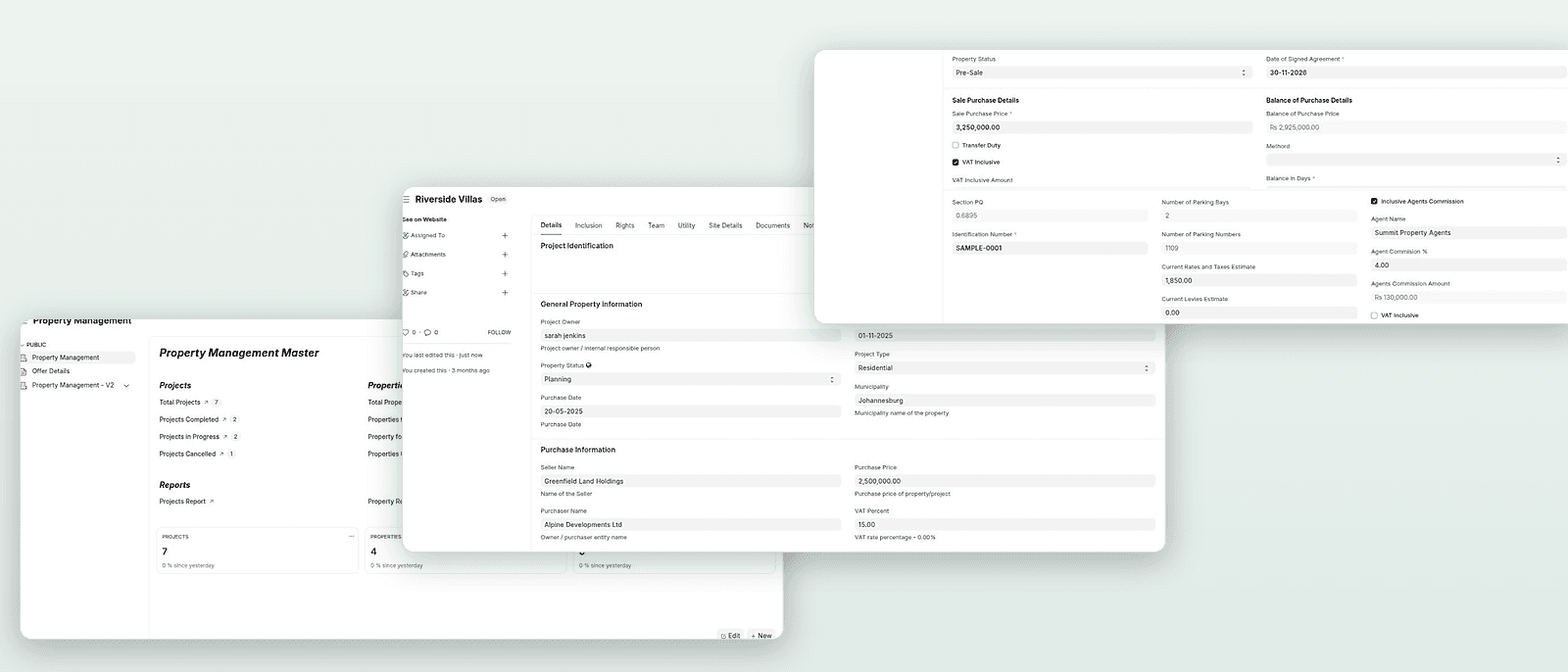
 Illustrative screens, sample data.
Primary impact
Spreadsheets replaced by one automated offer-to-invoice workflow
| Before | After | |
|---|---|---|
| Offer figures | Calculated by hand | Auto-calculated |
| Customer agreements | Created and signed offline | Digital signing with DocuSign |
| Invoicing | Raised separately from contracts | Automatic from the signed contract |
The Challenge
The client managed projects, properties, buyers and agreements in Excel sheets and an existing system that did not work together.
- Project, property and contact data lived in separate files, with no single source of truth.
- Offers and their figures (commission, VAT, balances, area-based pricing) had to be calculated by hand.
- Contracts had to be created, sent and signed outside the system, with no digital agreement trail.
- Monthly and one-time invoices were not tied to the signed contract they came from.
The Solution
We started by learning how the client ran the business: how the company works, how the existing system is used, and how Excel fills the gaps. We then reviewed the findings with our functional consultants and project team, presented the best-fit solution, and the client agreed on it before development began.
The result is a custom Frappe module on ERPNext where every record leads to the next:

Key Features
- Project register with a live status dashboard: total, completed, in progress and cancelled.
- Reports for projects, properties and contacts, with filters, totals and charts.
- Property records for sale, rent and lease, with fields that change by property type.
- Contact records for individuals, companies and trusts, each with their own fields.
- Offer builder that auto-fills project, property and contact details and calculates every figure.
- Offer emailed to the contact as a PDF, using the template for that transaction type.
- DocuSign integration for digital agreements and signatures.
- Contract created after signing, which drives accounting.
- Automatic sales invoices and email alerts for monthly, one-time and yearly charges.
How it works
1. Projects
Each project opens with a dashboard of totals by status. The project form holds everything about the asset and its purchase, and calculates the agent commission and related amounts automatically. Built-in reports for projects, properties and contacts add filters, totals and charts on top.
General property information Owner Project name, status and type Seller and purchaser Registration number Purchase and transfer dates Agent commission % and amount VAT % Title deed, ERF number, stand details Land area (m²), FAR, total built area Inclusions Teams Utilities Site details Documents Notes and quotes

The Property Management workspace: live counts for projects, properties and contacts, with shortcuts to reports.

Projects Report: filter by status, type, municipality, owner and dates, with totals, a chart and the project list.

Project form: general, purchase and legal information, with the agent commission amount calculated automatically.

2. Properties
Properties belong to a project and are recorded as for sale, for rent or for lease across residential, restaurant and retail types. Each type has its own fields (an apartment is captured differently from a house), plus status, inclusions, utilities, media, documents and notes.


3. Contacts
Contacts are typed as individual, company or trust, with enquiry description, status and address. Individuals carry ID, tax number, passport country and number and personal documents; companies carry their own details such as telephone.

4. Offers: the central document
The offer is where everything comes together. The user picks an offer type (residential sale, residential lease, store room sale, store room lease and more) and selects a project: the property populates automatically. Selecting a property fills the project and property details such as name, section and floor, and selecting the contact fills their details. The user then enters only the offer date and number of open days; expiry and status are set automatically.
Each offer type has its own fields. A residential sale, for example, carries sale and purchase balance details, section details, parking bays, inclusions, furniture, duty and tax, agent commission, Wi-Fi and maid’s room inclusions. All figures are calculated from internal area and area specifications, so users type only the data that cannot be derived. All offers are tracked in one list by status, and users are alerted the day before an offer expires.


Offer list: every offer with its status, project, property and contact.

Automatic alerts the day before an offer expires.
5. Email, DocuSign and contract
When the offer is confirmed, it is emailed straight to the selected contact. The PDF template is chosen automatically from the transaction type. Agreements are signed digitally through the DocuSign integration, and once the document is signed, the contract is created in ERPNext.

The offer email sent from ERPNext.

The offer PDF generated from ERPNext.
| Step 1: Offer confirmed | Step 2: Emailed as PDF | Step 3: Signed digitally | Step 4: Contract created |
|---|---|---|---|
| The user confirms the offer in ERPNext. | The contact receives the offer with the template for that transaction type. | The agreement is signed through the DocuSign integration. | The signed agreement creates the contract and starts billing. |
6. Contracts, invoices and alerts
The signed contract feeds accounting. Sales invoices are created automatically according to the contract: monthly for subscription-type charges, or one-time and yearly where the contract says so. Email alerts go out automatically, including to customers on monthly invoices.

Technology Stack
- Frappe
- ERPNext
- Custom DocTypes for projects, properties, contacts, offers and contracts
- DocuSign integration
The Outcome
- Projects, properties, contacts, offers and contracts now live in one connected system instead of spreadsheets.
- Offer figures are calculated automatically, so staff enter only the required data.
- Offers are emailed to customers automatically with the correct PDF template.
- Agreements are signed digitally through DocuSign, and the signed contract drives billing.
- Monthly, one-time and yearly invoices are raised and sent automatically.
- Teams move from project to signed contract inside one system, without re-typing data between files.
Project details
| Client | Confidential Real Estate Client |
| Client type | B2B |
| Project | Property Management ERP |
| Published | September 2026 |
| Stakeholder | Management team, Confidential Real Estate Client |
Next step
Tell us how your operation runs today.
A 30-minute discovery call with a consultant to map your current process and outline a possible first phase.
Book a discovery call · Send us your requirements
+1 (307) 400-9475 · +92 332 6699016 · hello@infintrixtech.com
Infintrix Technologies: ERPNext implementation, business process automation and custom software.